
Custom fonts, slide animations, and reusable custom themes.
This release is about making presentations feel truly yours and truly dynamic: bring your own fonts, save your own themes, and add motion to your slides.
What's new
🎉 Custom fonts
Upload and use your own fonts so presentations match your brand exactly, instead of settling for the closest built-in option.
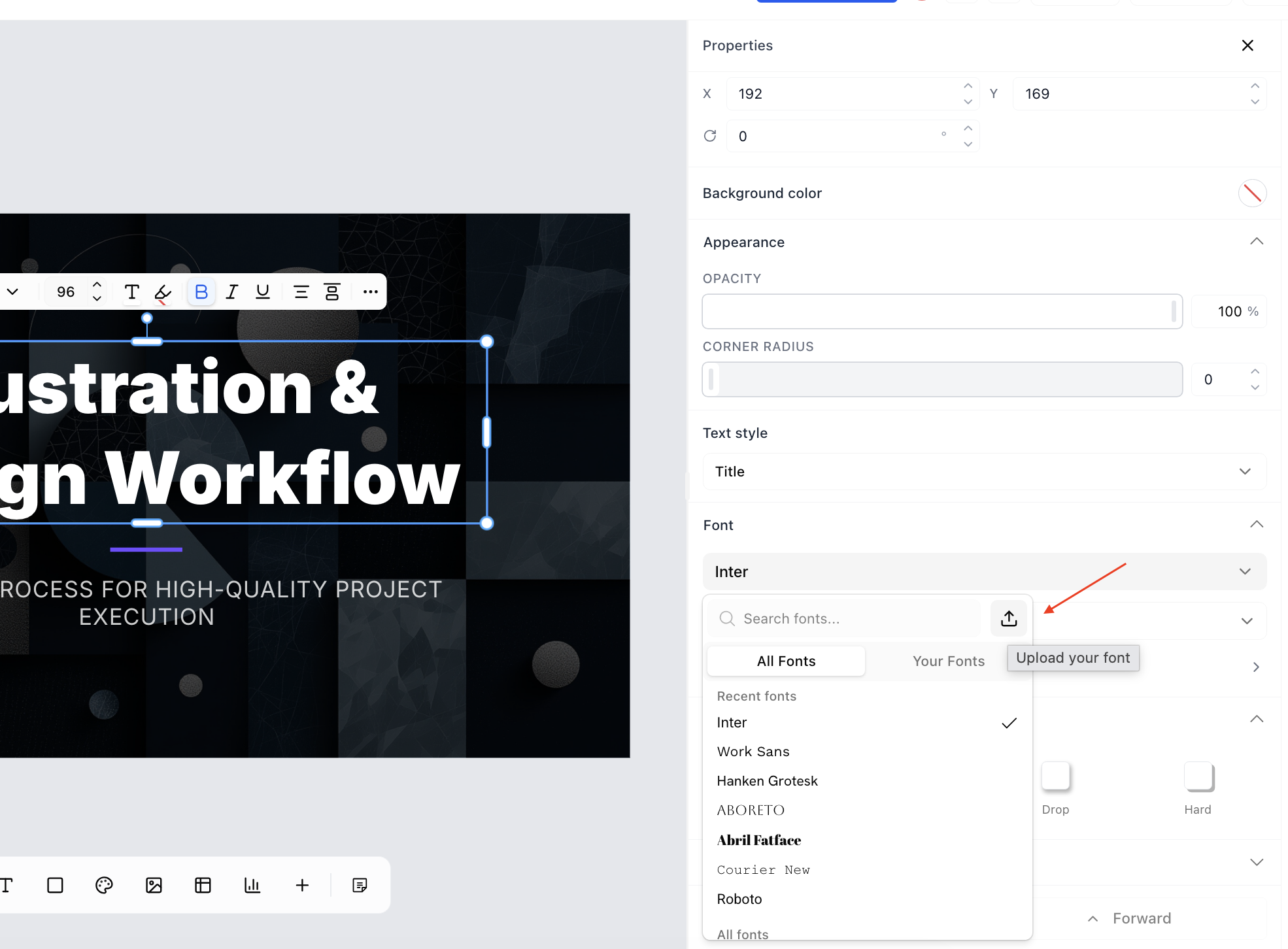
Select the Upload Font option from properties panel
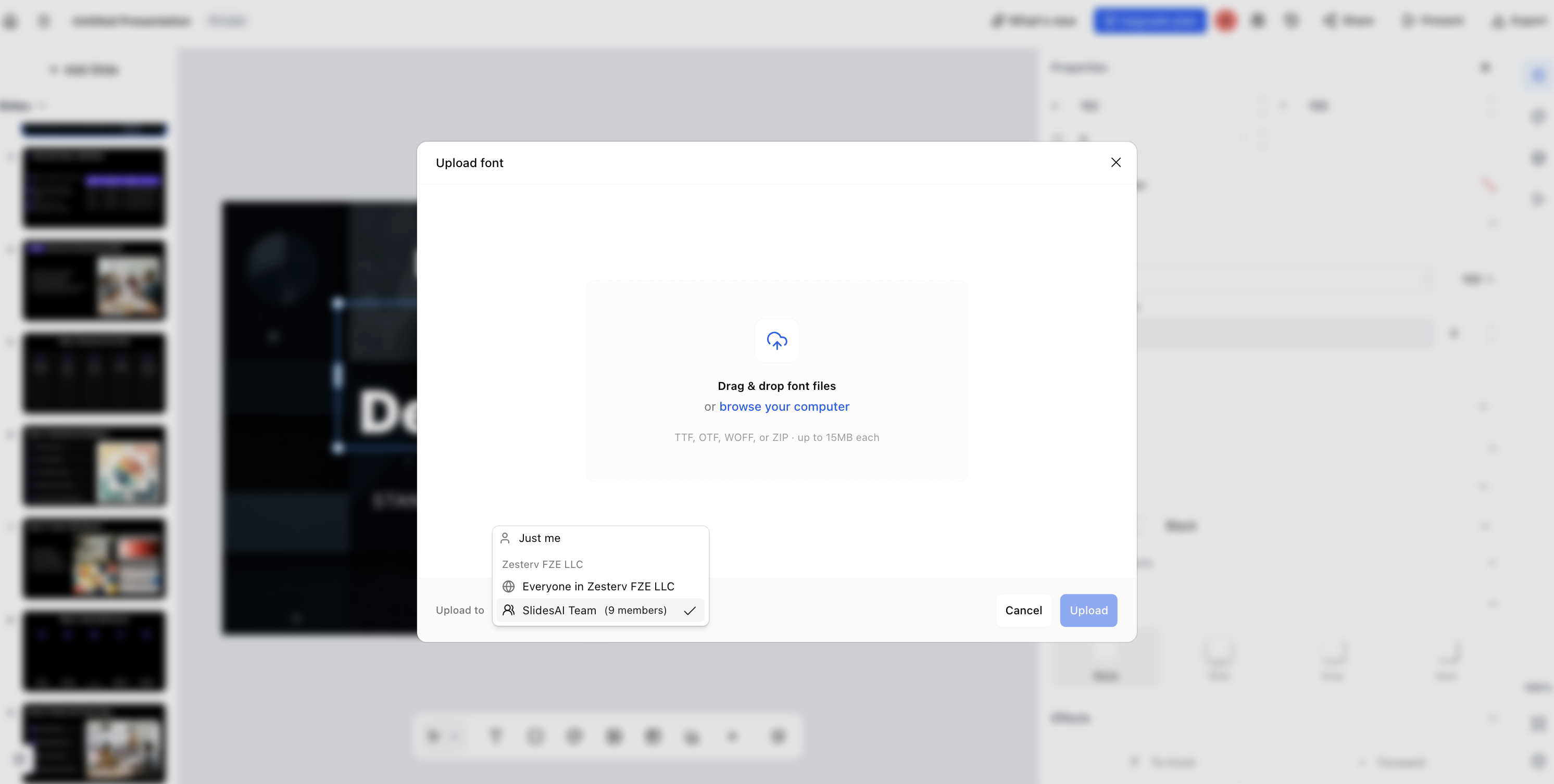
Upload the font and select it's where it applies click upload
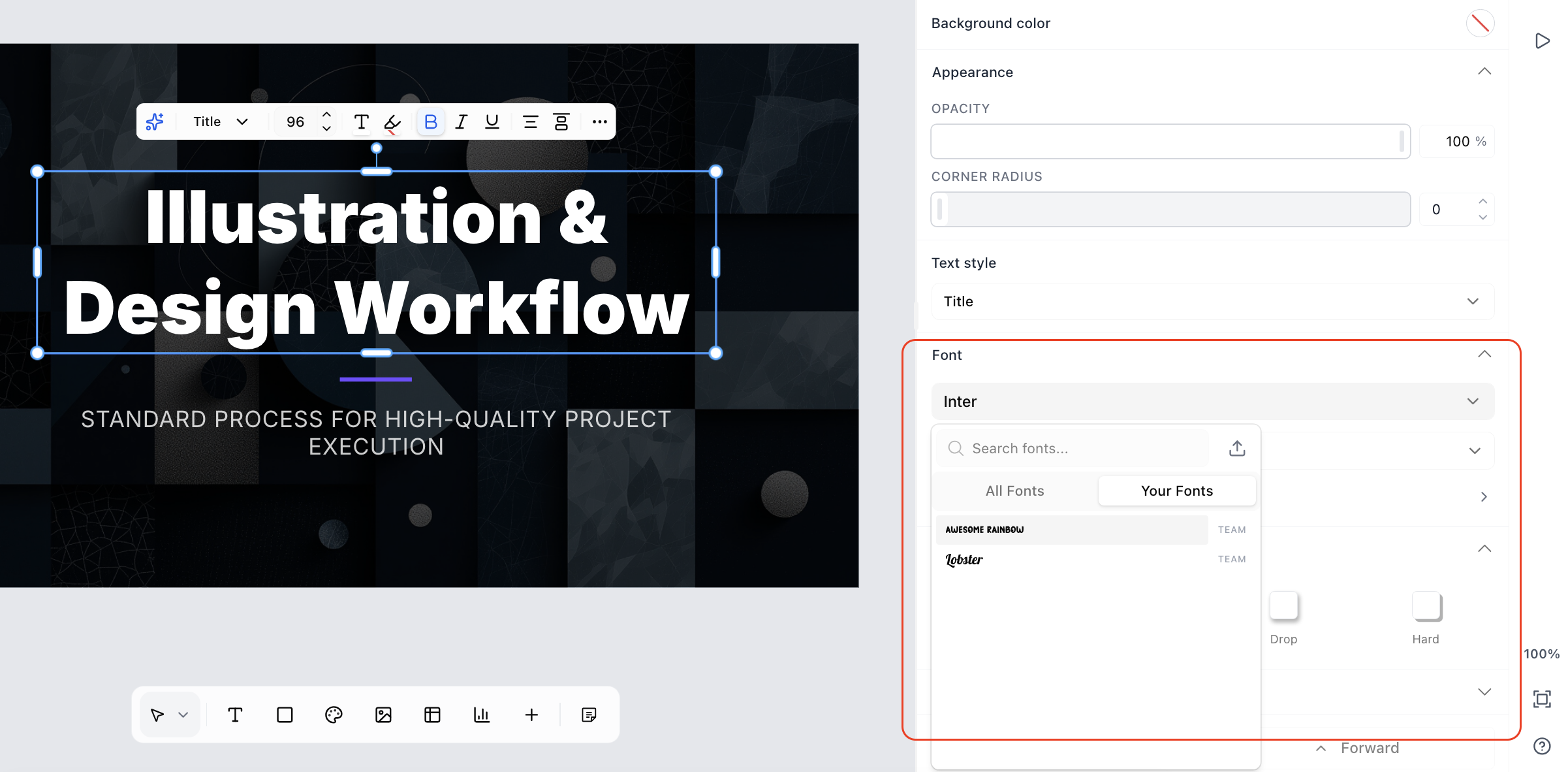
You can see your uploaded fonts here and you can select them as per your need
🎉 Slide animations
Add entrance animations to elements and present with motion, giving your slides a more polished, dynamic feel.
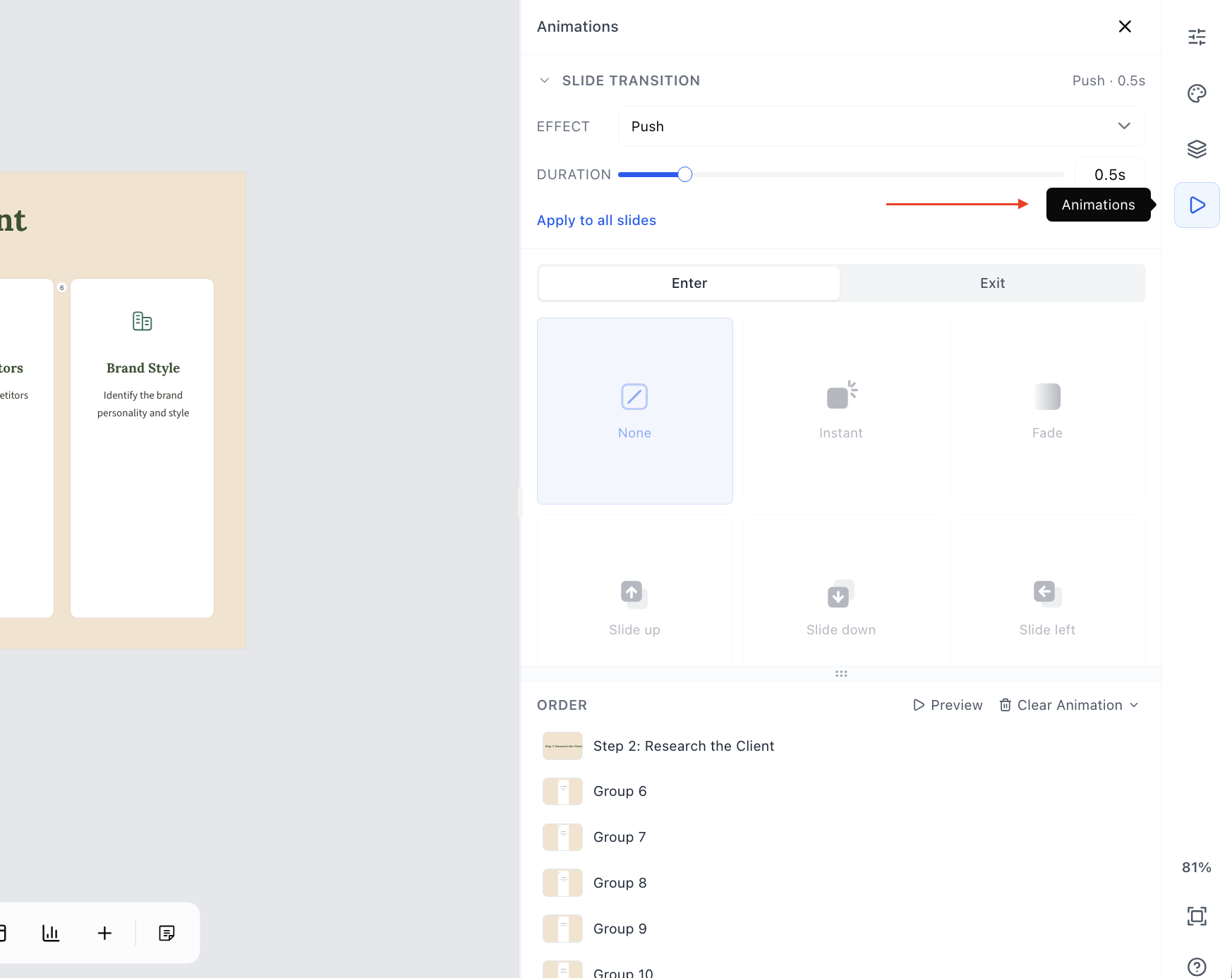
Access it through the Animation tab as shown below
🎉 Theme panel
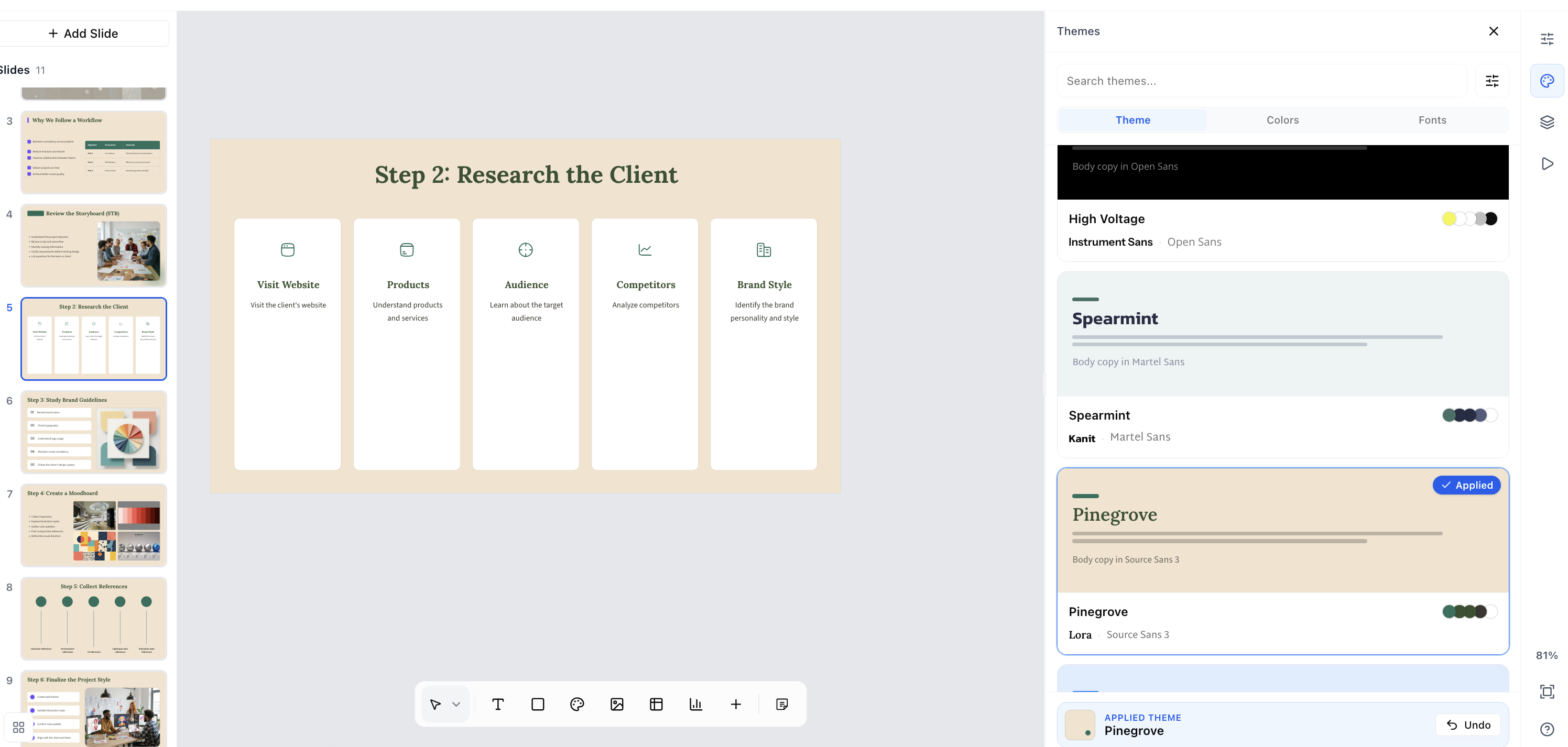
Now you can change themes via the theme panel and give your presentation entirely different feel in just one click
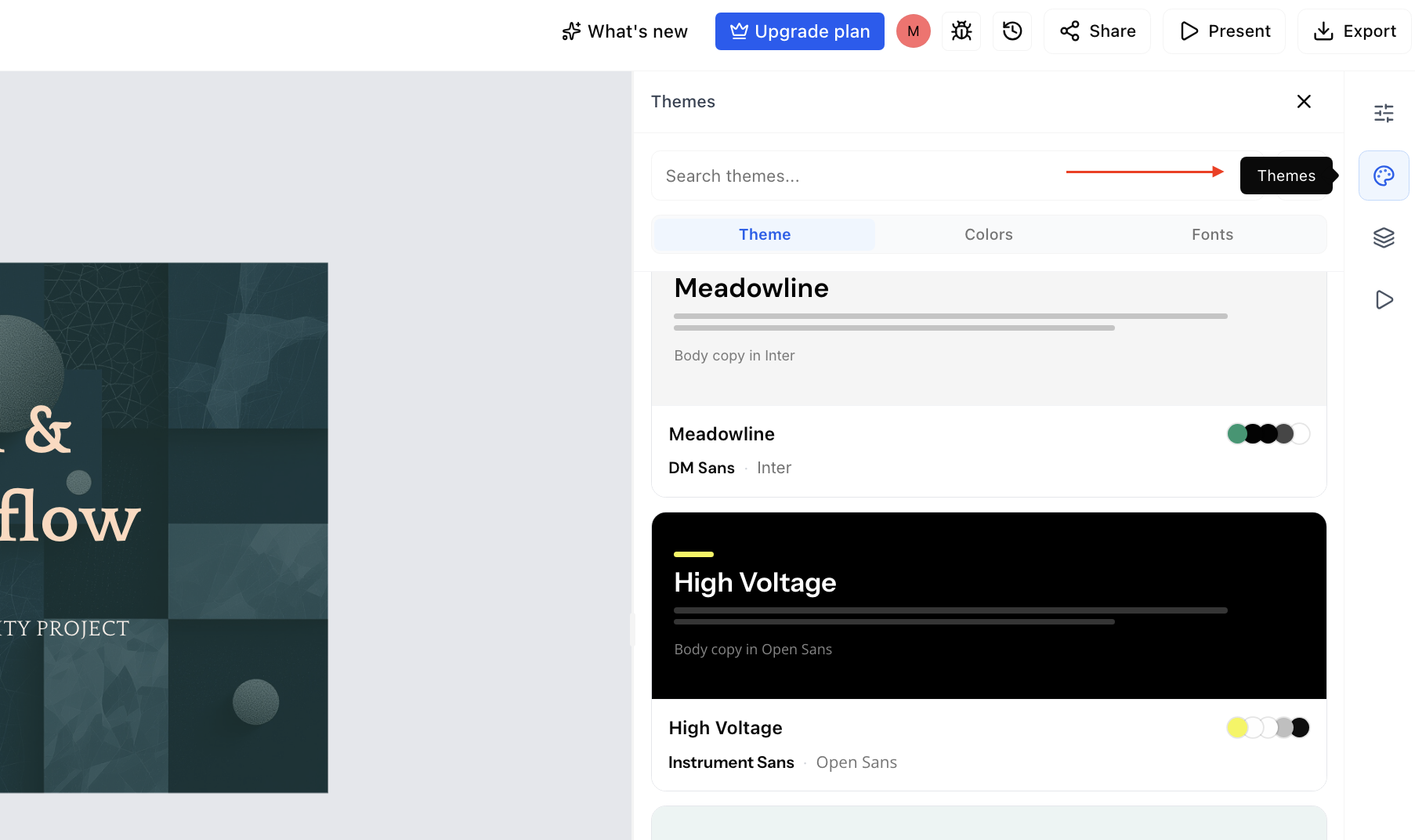
Click on theme panel and see Theme, Colours and Font option
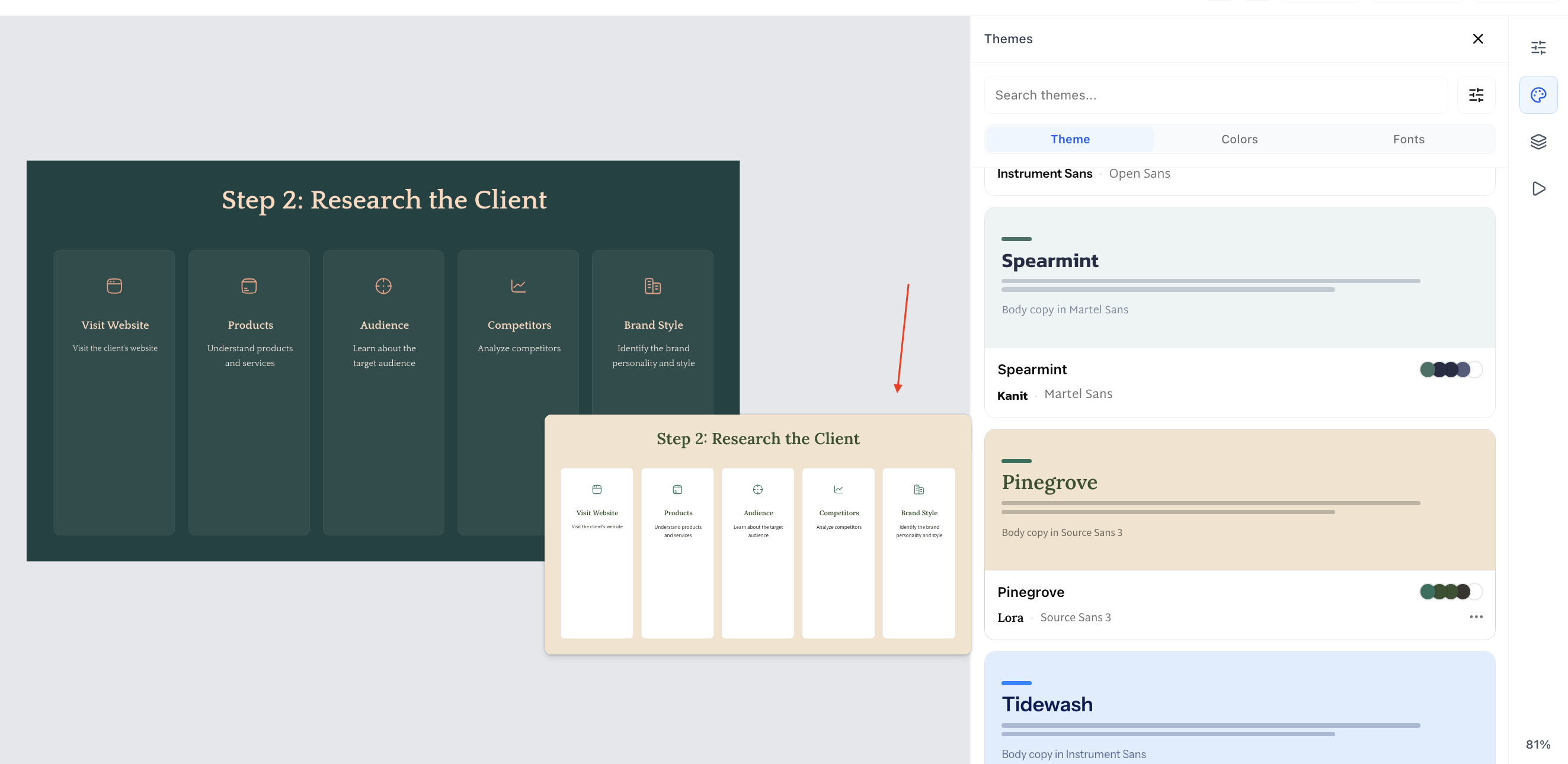
On hover you can see the preview and on just one click you can apply the theme.
🎉 Guided theme tour
A short walkthrough that helps you style a presentation faster by pointing you to the right
controls.
Improvements
✨ Right-to-left language support with correct alignment for RTL scripts.
✨ Math equations render more cleanly on slides.
✨ Viewer experience — smoother viewport controls and a "What's new" prompt for people opening a shared link.
Fixes
🐛 Table colours, image borders, and list formatting edge cases.