
Improved Code Slides Support
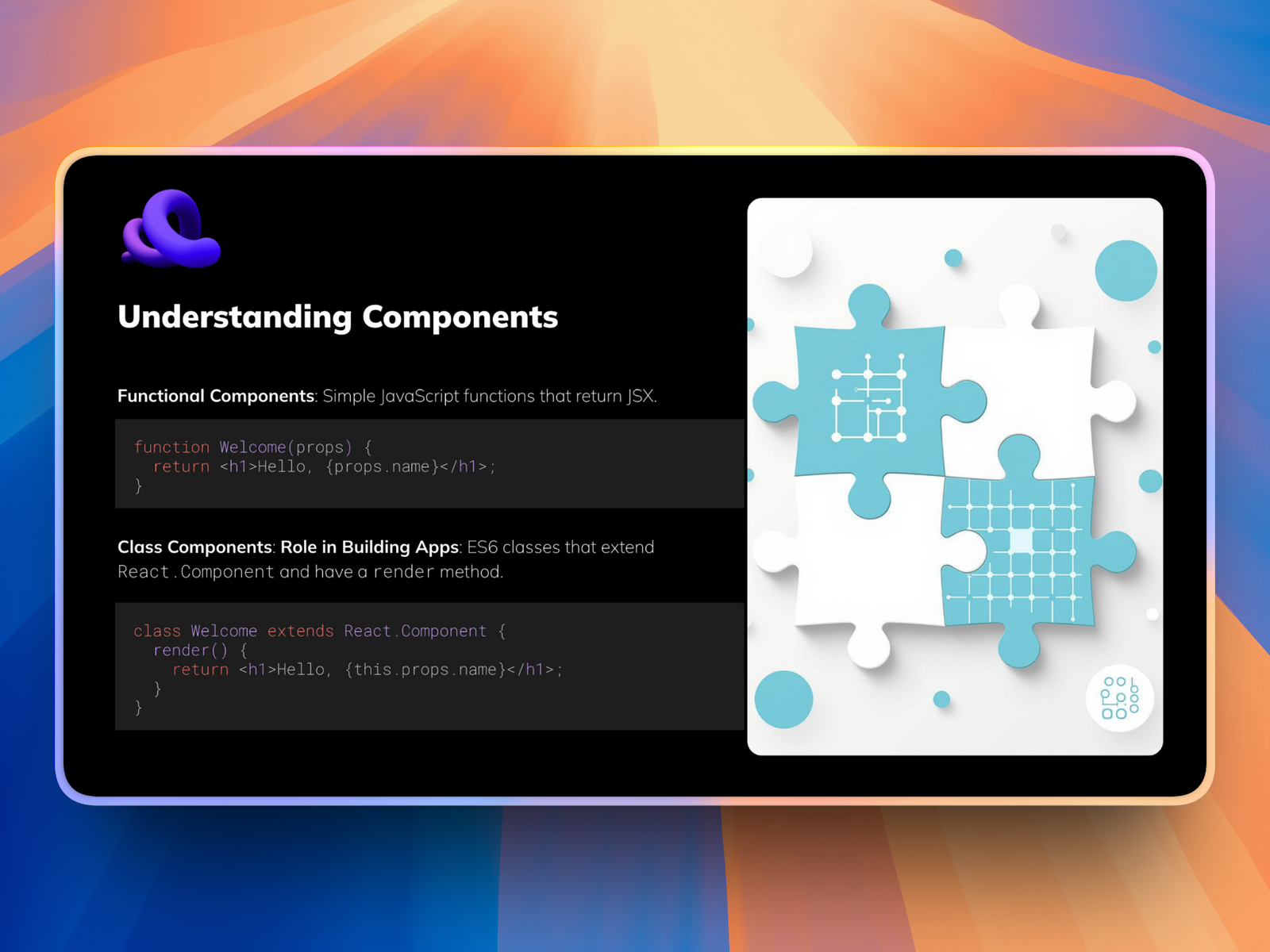
Code Slides with Syntax Highlighting
Transform your technical presentations with beautiful, color-coded code blocks. Whether you're presenting to developers, teaching a coding workshop, or documenting your program interface, your code now displays with proper formatting and color-coding that makes it easy to read and understand.
What's included:
Support for many programming languages for popular programming languages
Automatic automatic language detection and highlighting
Clean, professional formatting optimized for presentations
Perfect for developer presentations, technical documentation, code reviews, and educational content.
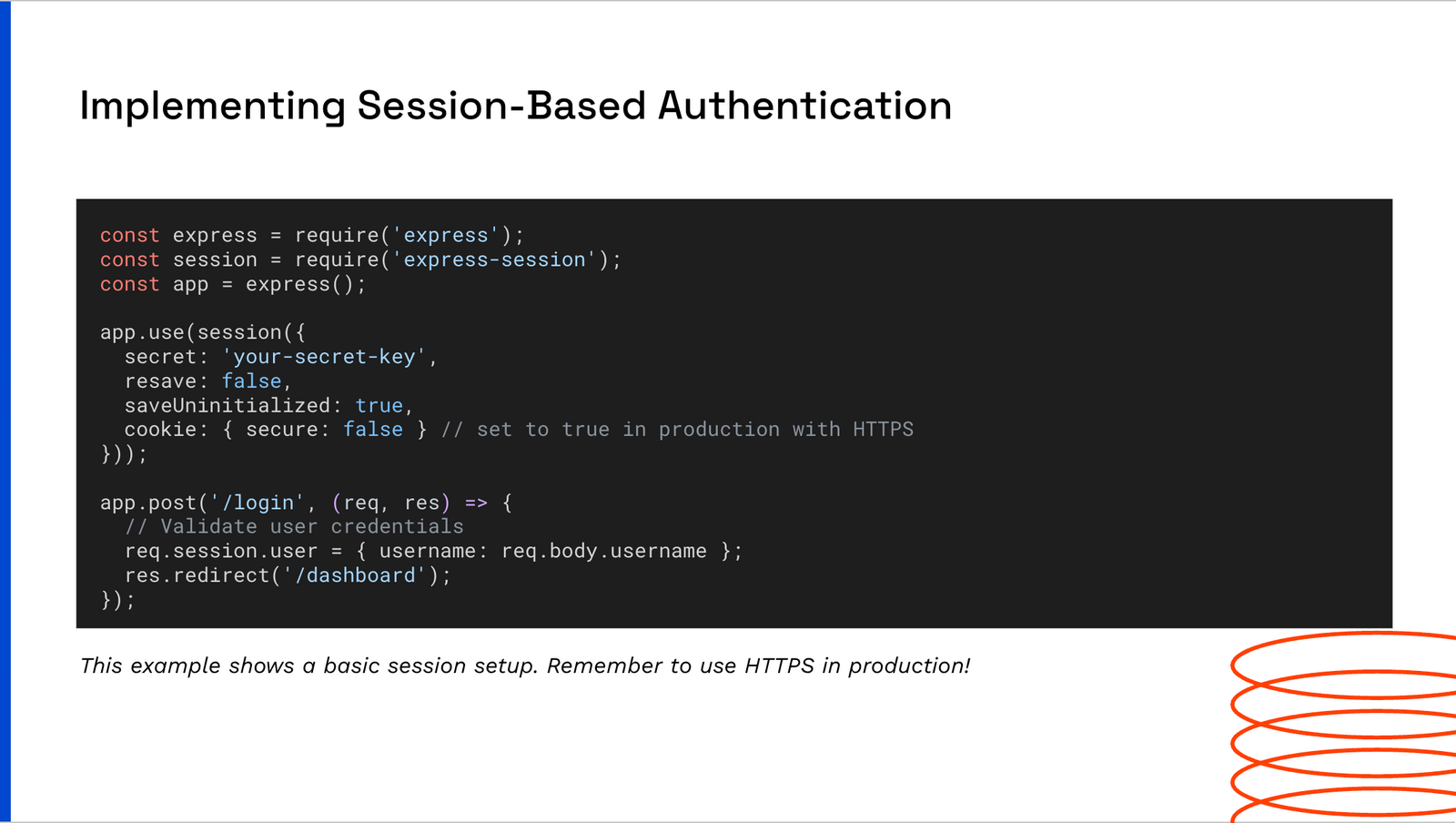
Mermaid Diagram Support
Create memaid diagrams directly in SlidesAI. Ask for mermaid diagram in “additional information” and it will generate mermaid code in preview step.
What you can create:
Flowcharts and process diagrams
Sequence diagrams for system interactions
Class and entity relationship diagrams
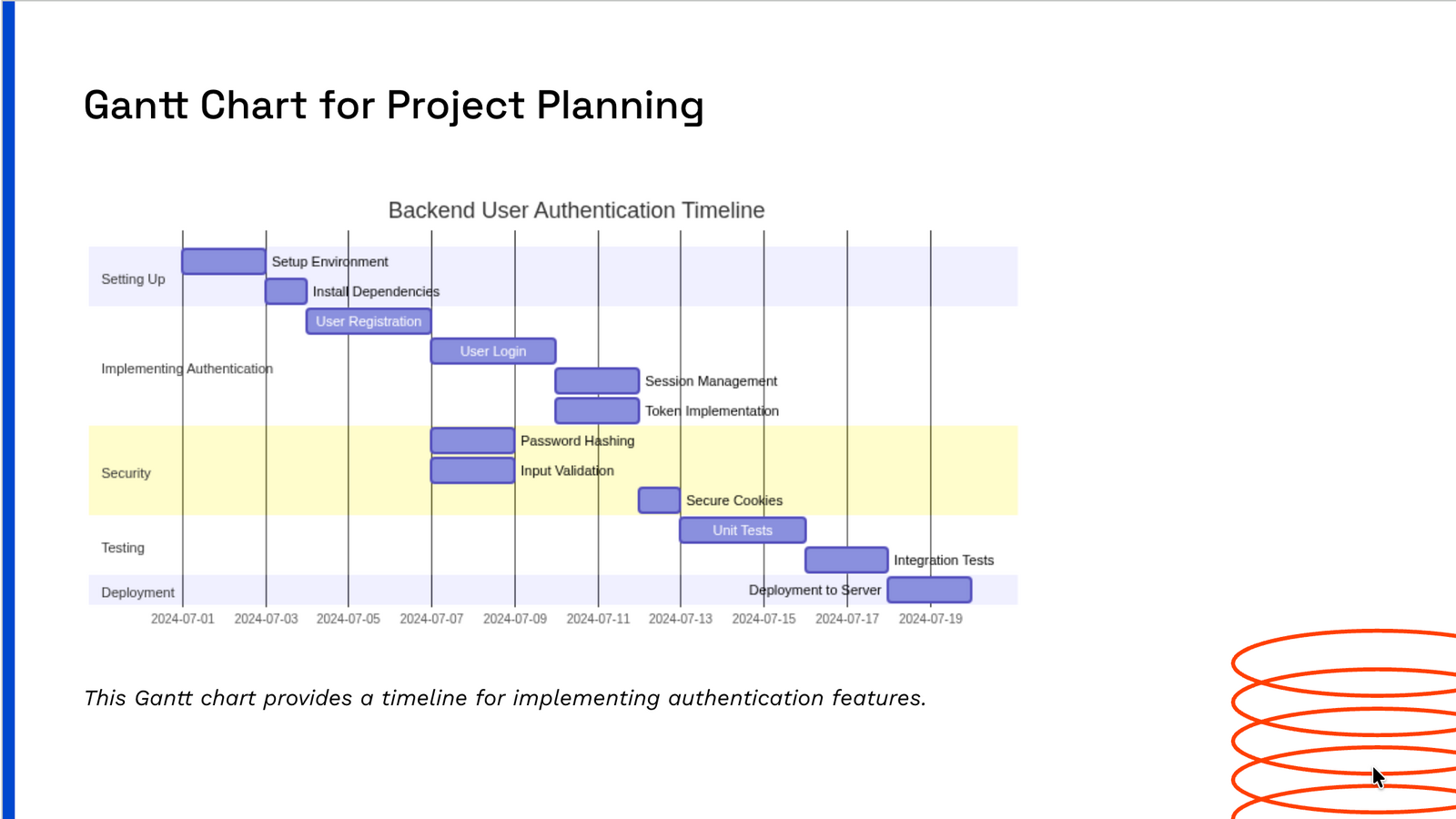
Gantt charts for project timelines
State diagrams and user journeys
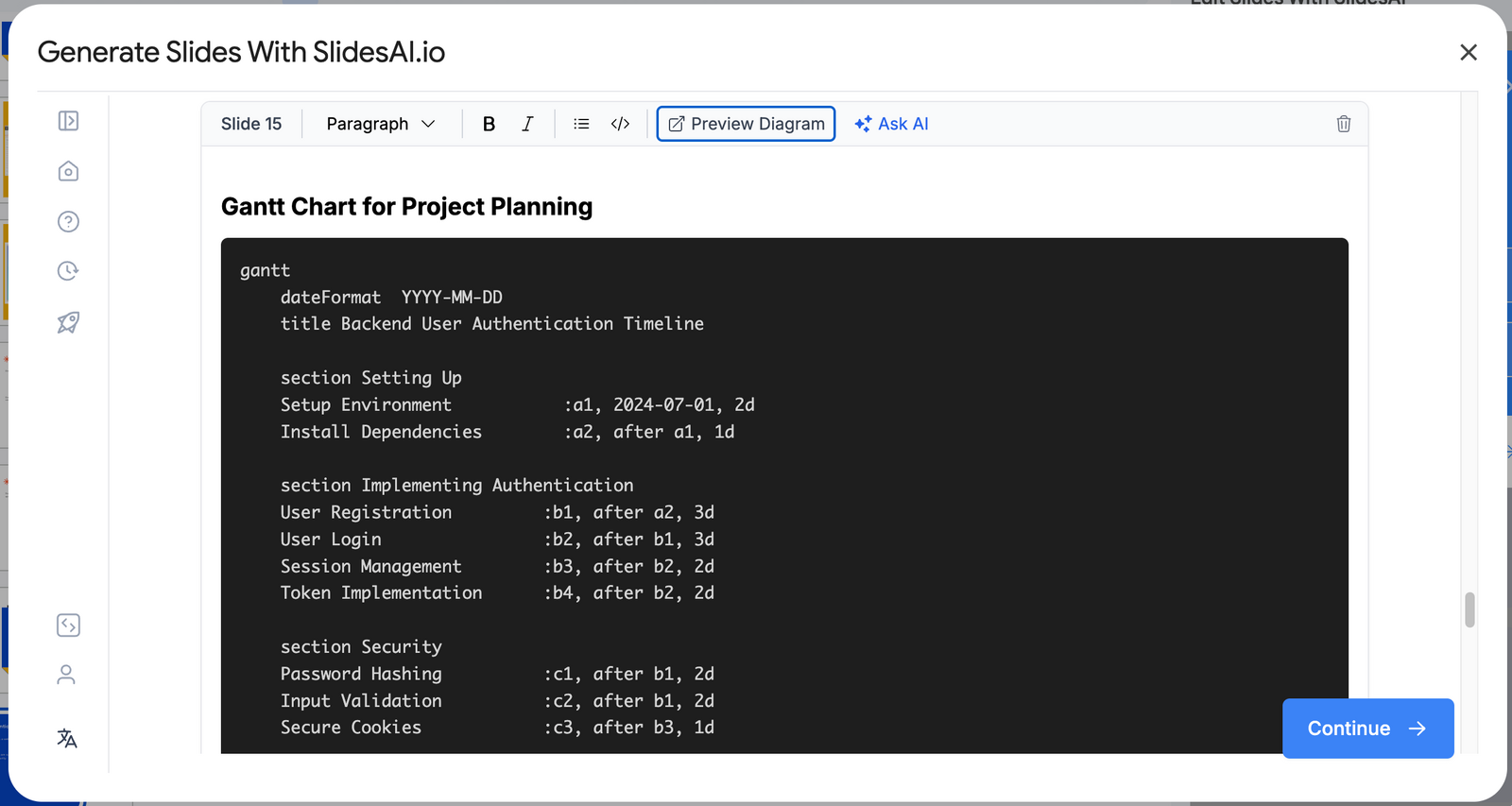
How you can see the preview of the diagram before generating the slides:
You will see “Preview Diagram” button when there is any mermaid diagram in your preview
Why These Features Matter
These updates are designed to streamline your workflow and elevate the quality of your technical presentations. No more taking screenshots of code or using external tools to create diagrams - everything you need is now built right into SlidesAI.
We'd Love Your Feedback! 🌟
Your input helps us build better features. Try out these new capabilities and let us know:
How these features fit into your workflow
Any improvements or suggestions you have
Share your thoughts and help us shape the future of SlidesAI!
Last updated: December 2025