
Introducing SlidesAI Agent: build your presentation faster in a chat
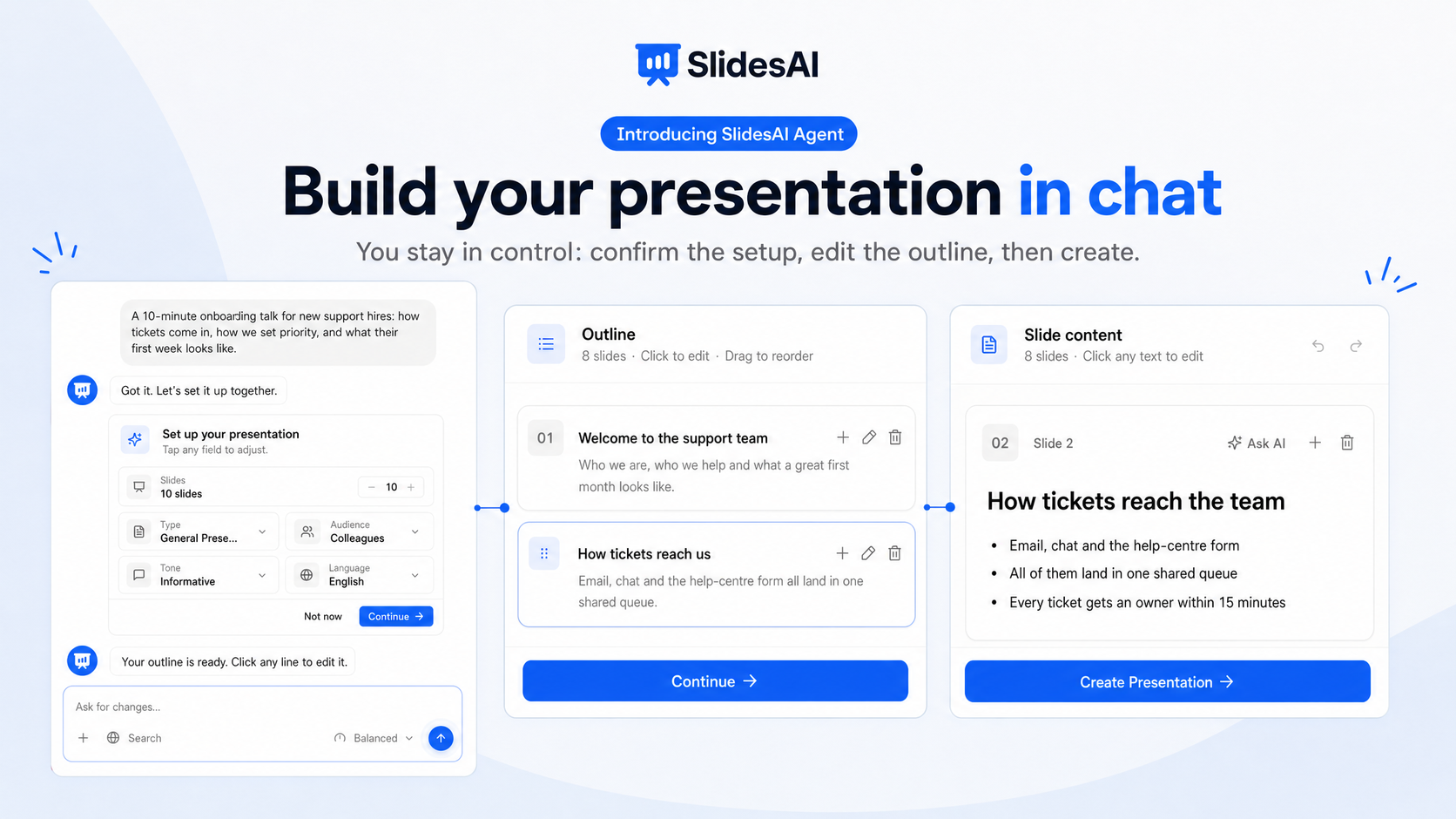
Tell SlidesAI Agent what your presentation is about, and it builds it with you. Answer a few questions, check the outline and the slide content, and SlidesAI creates the presentation and opens it in the editor.
What's new
Start with a message
On your dashboard, click Start with AI and describe your talk: the topic, who will watch, and what they should take away. Attach notes or documents in the same message.
A setup card you control
Confirm the number of slides, type, audience, tone, and language before anything is written. Quick instructions such as Bigger fonts or Keep my wording are one click away.
Outline first, then slides
The outline opens in a panel next to the chat. Reorder, rename, add, or delete slides, then click Continue. See Review and change your outline.
Edit every slide before you create
The Slide content panel shows the text for each slide. Click to edit, add speaker notes, or ask the agent to rewrite a slide. Undo and redo work the whole way through.
Research the web first
Ask the agent to research your topic, and it reads sources and writes a research brief before the outline. Free plans can build from research too. See Research your topic on the web before you create.
It remembers you
The agent remembers your style choice and what it learns about how you present, so the next chat starts closer to what you want.
Read Create a presentation with SlidesAI Agent for the full walkthrough.