
Introducing organizations: one workspace for your members, seats, teams and billing
Work with your teammates in one organization: invite people, give each one a role, hand out seats with their own credits, and keep everything billed in one place. See How organizations work in SlidesAI.
What's new
One place for your whole team
Your presentations, plan and credits live in your organization, and you're its Owner. Belong to other organizations too, and switch between them from the switcher at the top of the dashboard sidebar. Your plan, credits and presentations follow the organization you pick.
Roles for everyone
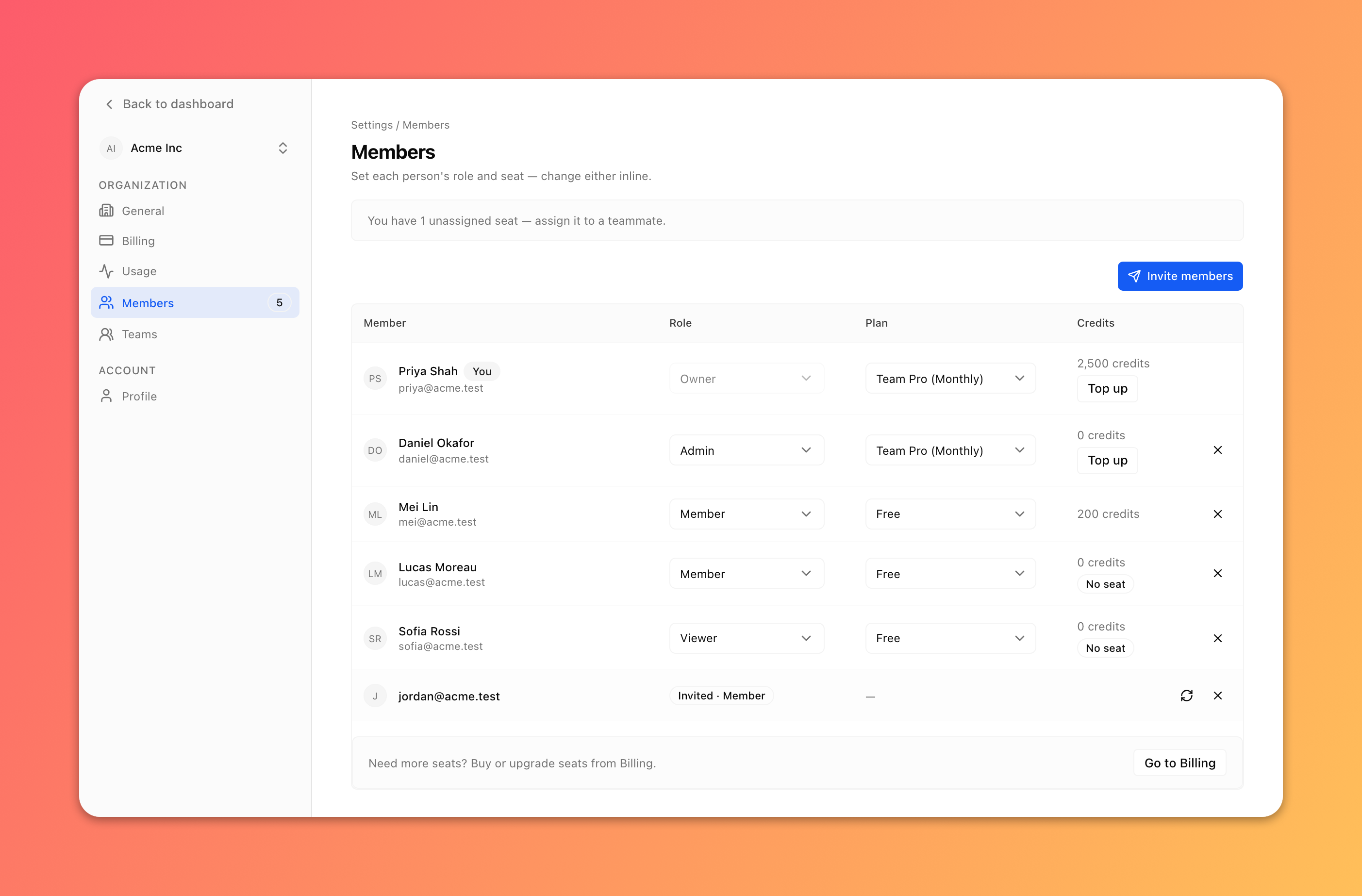
Give each person a role: Admin, Content manager, Member, Commenter or Viewer. A role applies in every team and caps what any share can give, so a Viewer stays view-only everywhere. Commenters and Viewers don't need a seat. See Invite members and manage roles in your organization.
Seats with their own credits
Buy Pro or Premium seats and assign them to the people who create. Each seat has its own credits, so one person can't drain everyone else's. Run monthly and yearly seats side by side, and top up any seat when someone runs low. See Seats, credits and billing for your organization.
Teams on the Team plan
Create a team for each group, add people to it, and keep its presentations together while drafts stay in Private. See Use teams in your organization.
Improvements
Guests. Share presentations with people outside your organization: up to 2 guests on Free, 5 on Individual and 25 on Team. The Share dialog shows your count.
Billing in one place. Plan, seats, payment method, invoices, pause and cancel are all in Organization settings > Billing.
Usage per seat. The Usage tab shows your credits, and Owners and Admins see every seat's balance.
For existing teams
Your team, its people and its presentations are all in your organization. Your default team is now called General, Moderators are now Members, team settings are in Organization settings, and every member keeps the credits they had. See Use teams in your organization.