
Share and collaborate on a presentation
Updated 3 months ago
Share your presentation with teammates, students, or stakeholders so they can view or edit it. The SlidesAI Platform has built-in sharing and comments, while Google Slides and PowerPoint use their native collaboration tools.
Share from the SlidesAI Platform
Open the presentation in the Platform.
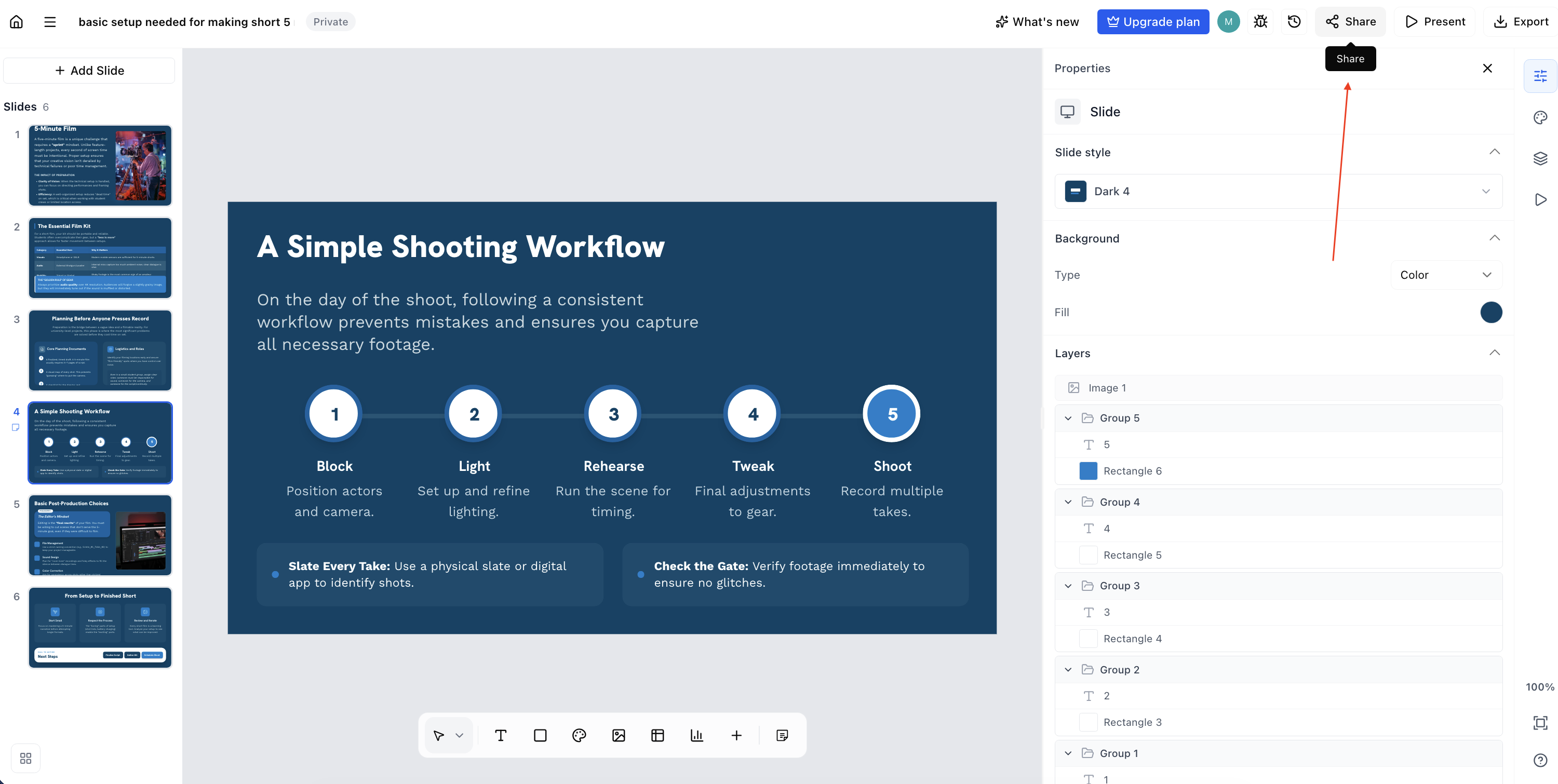
Click the Share button in the top-right.
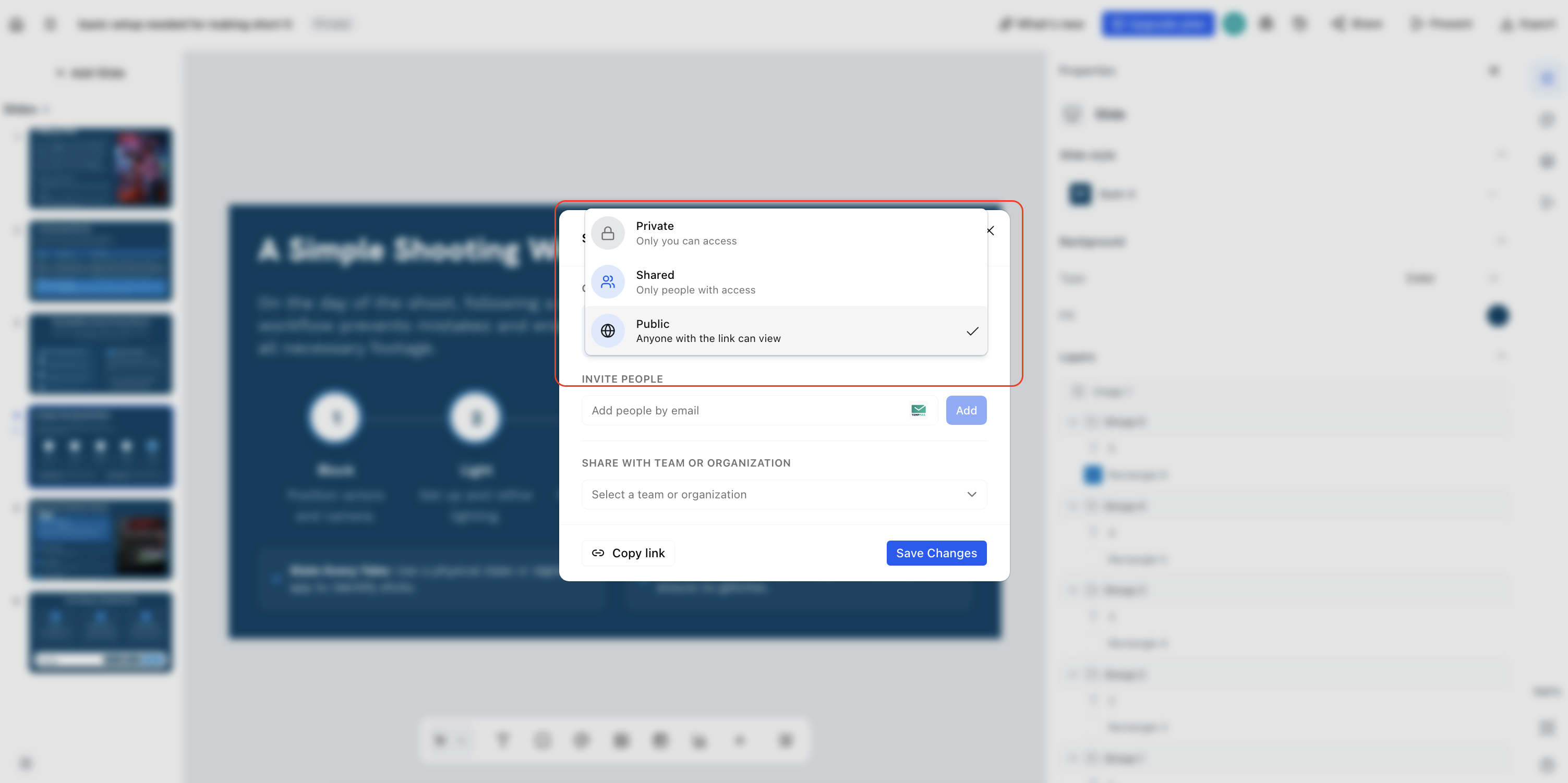
Enter the email addresses of the people you want to invite.
Set each person's permission to Can view or Can edit.
Click Send to share, or copy a shareable link.

Share in Google Slides
Use Google Slides' native Share button to invite people by email or generate a link. Anyone with the link can view or edit depending on the permissions you set.
Share in PowerPoint
Save the file to OneDrive or SharePoint, then click Share in the top-right to invite collaborators. Working together requires an Office 365 subscription.