
Link a slide to another slide or a web page
Updated 2 months ago
Add links to external pages, or other slides easily. They can be added to text, or any of the elements on your scree.
Presentations you generate arrive with links already in place wherever your source content carried them, so this is often a matter of adjusting one rather than starting from nothing.
Add a link
Inserting a link is straightforward- First select some text or an element to add a link to.
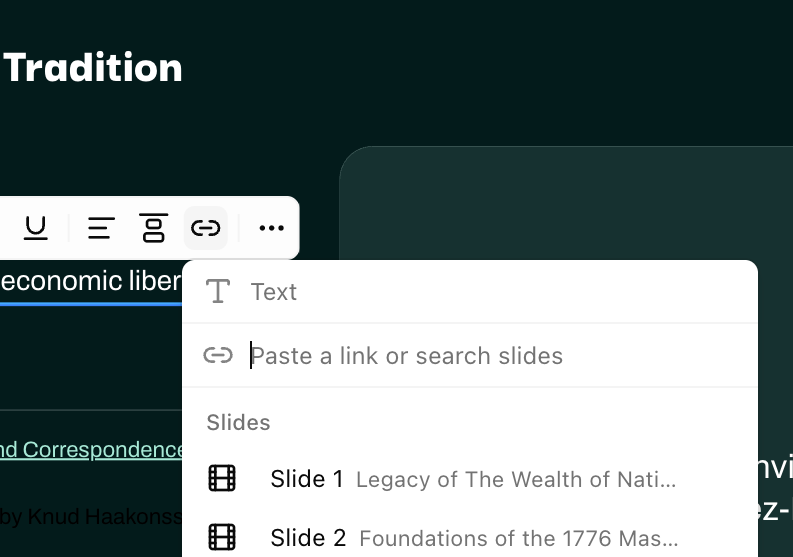
Press Add link in the toolbar that appears above it.
Paste a web address in link, or pick a slide from the list
Fill out your text if you want a custom text for link
Left blank, a web link reads as its address and a slide link reads as Slide followed by that slide's number.
You can also press Ctrl+K (Cmd+K on a Mac) on selected text, or simply paste a link with text selected to add link.
Link to another slide
You can add a link to another slide by selecting a slide in the link picker.
Search the picker by slide title — the first line of text on a slide is what it is listed under.
Open a link while you are editing
Hold Alt (Option on a Mac) and click the link.
A plain click puts the caret in the text instead, so you can edit copy that contains a link without being navigated away from it mid-sentence.
Present with links
While presenting, a single click on a link transitions to that slide. A web link opens in a new tab.
This makes an agenda slide clickable, and gives a "back to the agenda" link somewhere to return to — useful when questions send you out of order.
Links in a generated presentation
When your source content links somewhere, the generated deck keeps that link, and a link between two of your sections becomes a slide link between the two slides they became.
A link whose address cannot be opened is dropped during generation and its words are kept as ordinary text, so a deck never ships with a dead link
Export links to PowerPoint
Links survive an export as a PowerPoint file. A slide link becomes a real jump to that slide in the exported file, and a web link stays a web link.
One case does not carry: a link pointing at a slide that is not part of the file you exported. Its words are exported as plain text.