
In the SlidesAI Platform
Sign in to the SlidesAI Platform.
Click your profile or account menu in the bottom-right.
Your plan name, credits used, and presentations remaining are shown on the page.
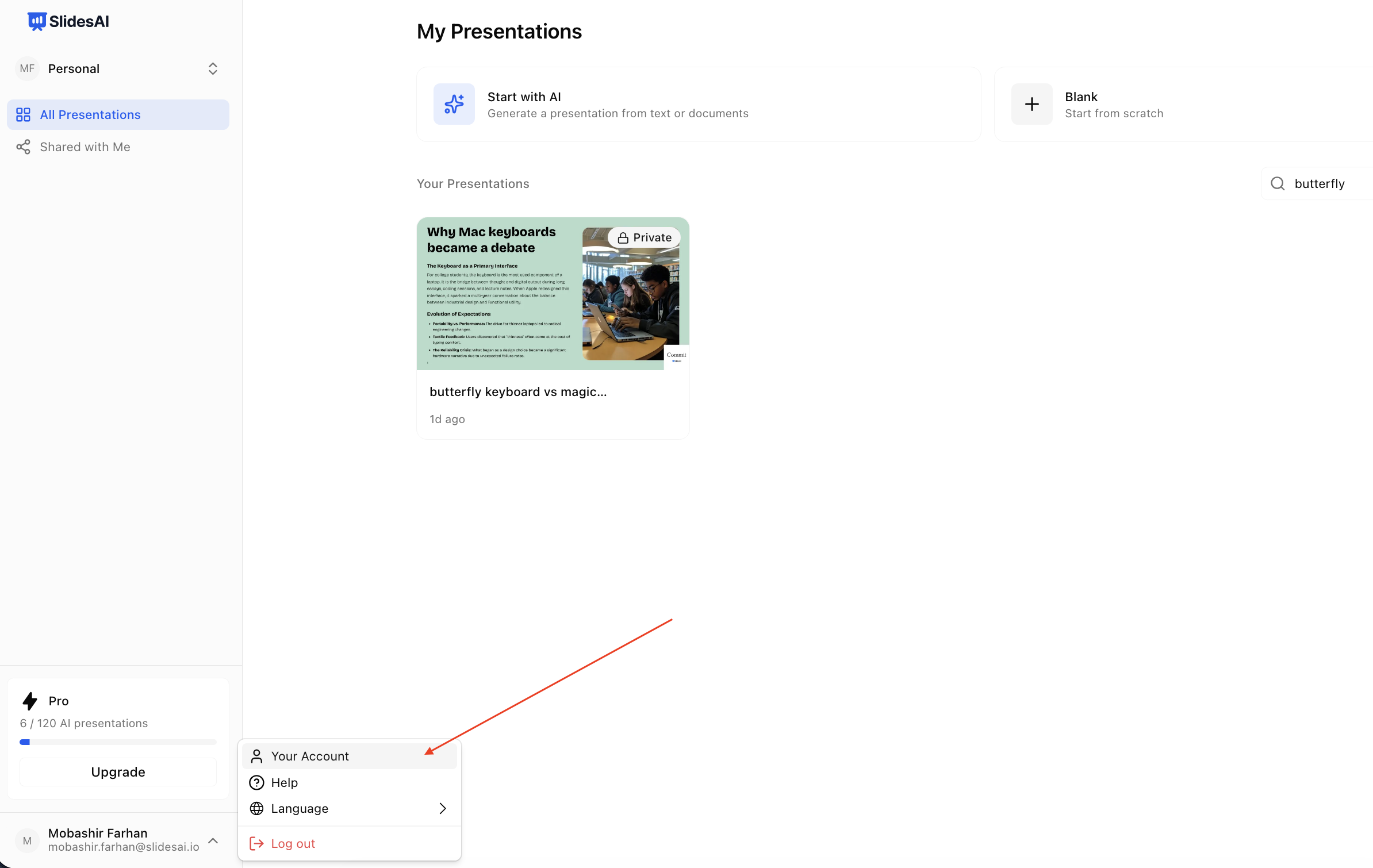
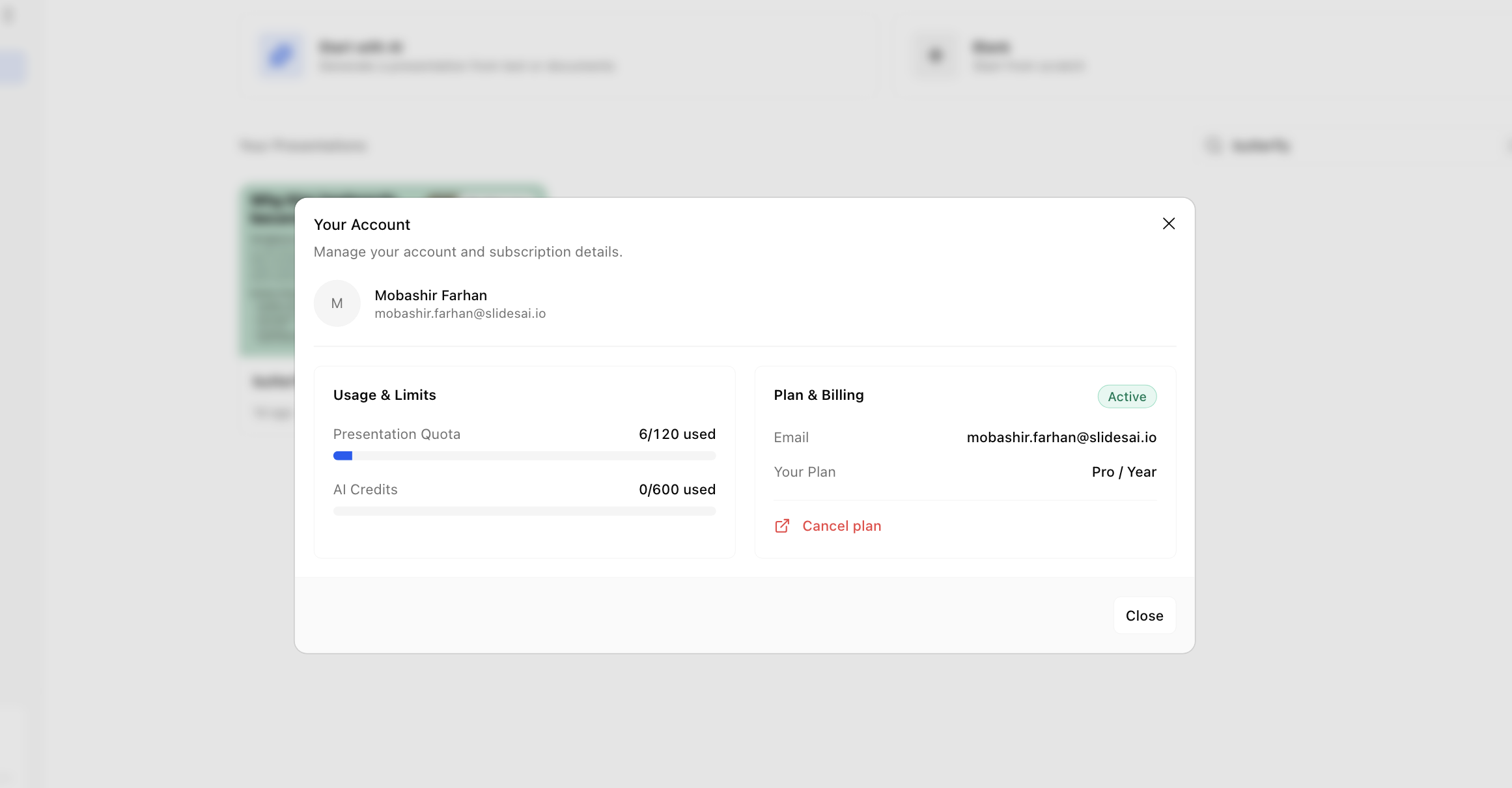
Open the account menu to see your plan and usage.
Updated 3 months ago
Find your current plan, remaining presentations, and AI credit balance in the SlidesAI Platform or in the Google Slides and PowerPoint add-ons.
Sign in to the SlidesAI Platform.
Click your profile or account menu in the bottom-right.
Your plan name, credits used, and presentations remaining are shown on the page.
Open the account menu to see your plan and usage.
Open the SlidesAI add-on from Extensions → SlidesAI.
Click on account icon in the sidebar as shown
You'll see all the details about the plan and usage
You can also see other options related to billing
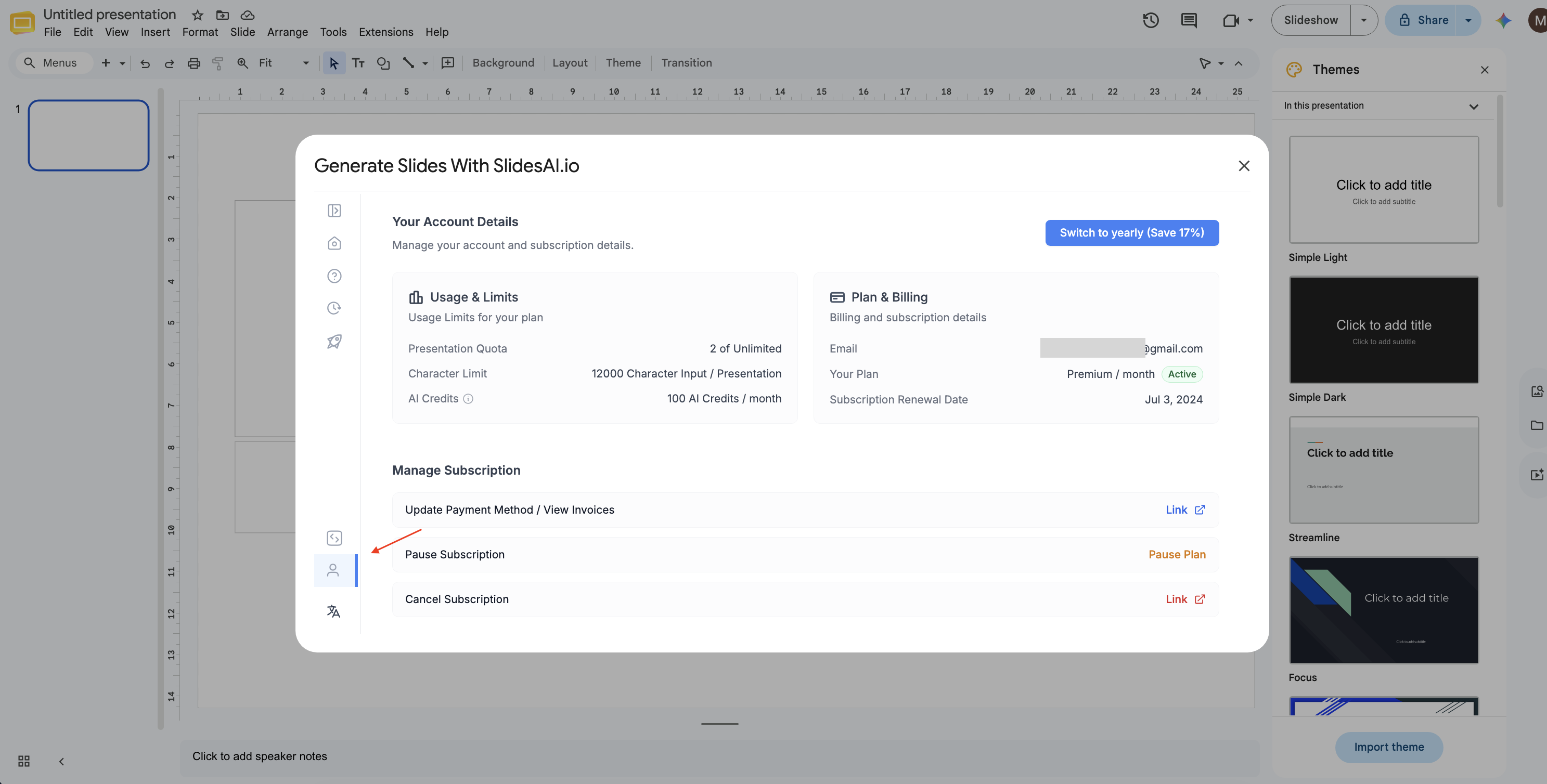
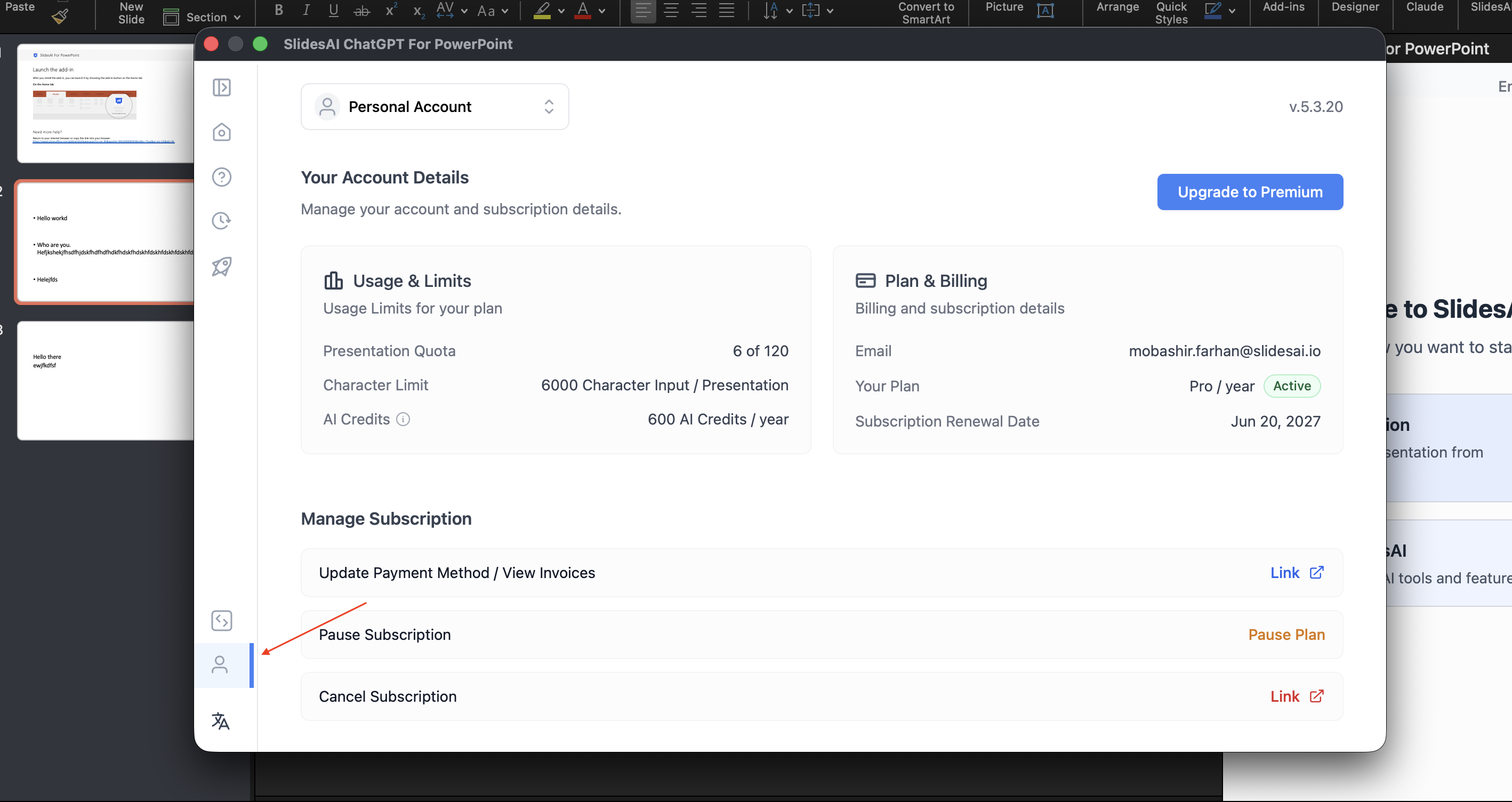
Open the SlidesAI add-in from the ribbon.
Click on account icon in the sidebar as shown
You'll see all the details about the plan and usage
You can see other options as well related to billing
If the plan shown is not the one you expect, you may be signed in with the wrong Gmail account. See Which Gmail account owns your subscription.