
Cancel your subscription
Updated 3 months ago
Cancel your SlidesAI subscription through the Paddle customer portal to stop recurring billing. You keep access until the end of your current billing period.
Cancel in Paddle
Sign in to the SlidesAI Platform.
Click your profile menu (your name and email) in the top-right corner.
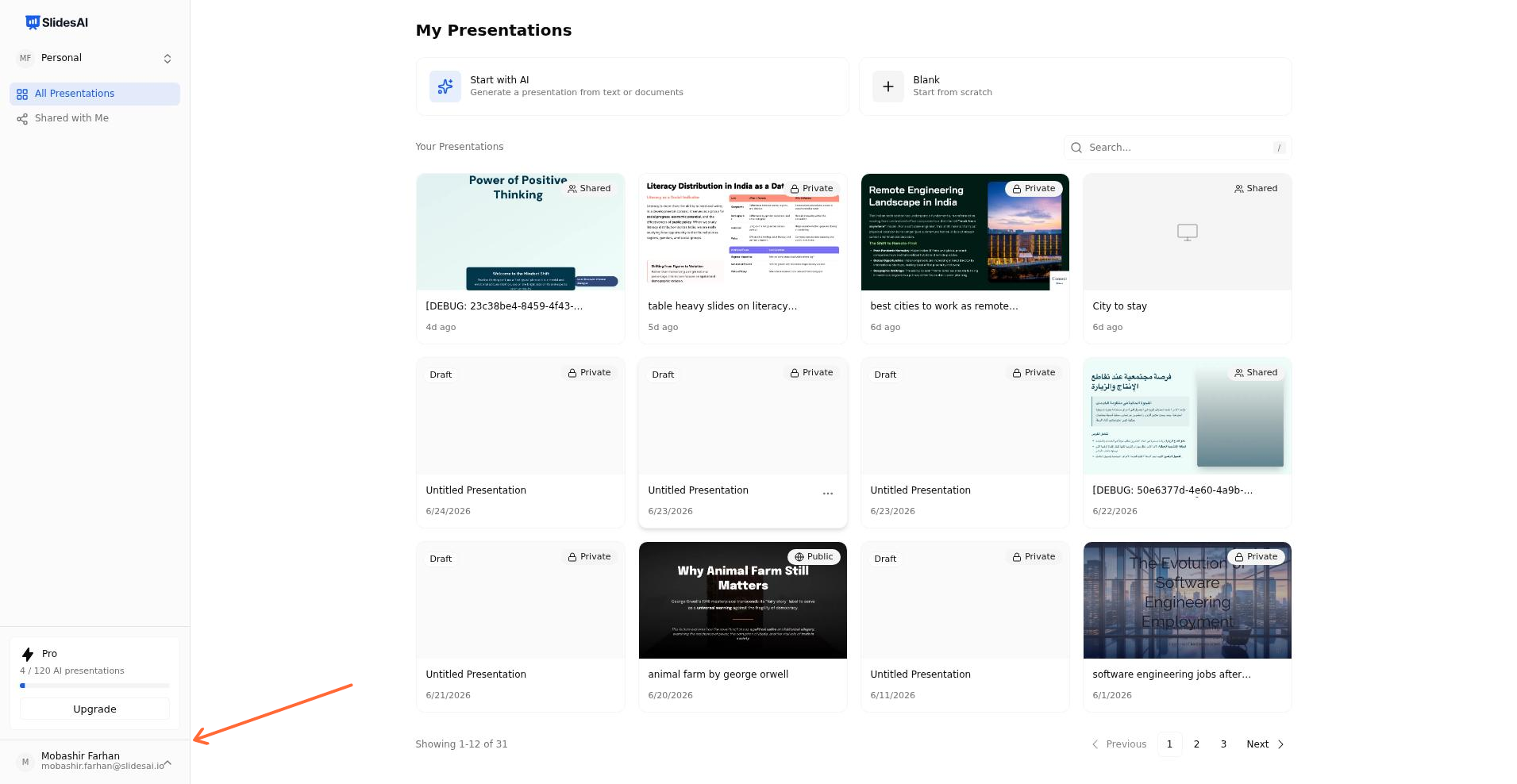
Click your profile menu in the top-right corner.
Select Your Account from the dropdown menu.
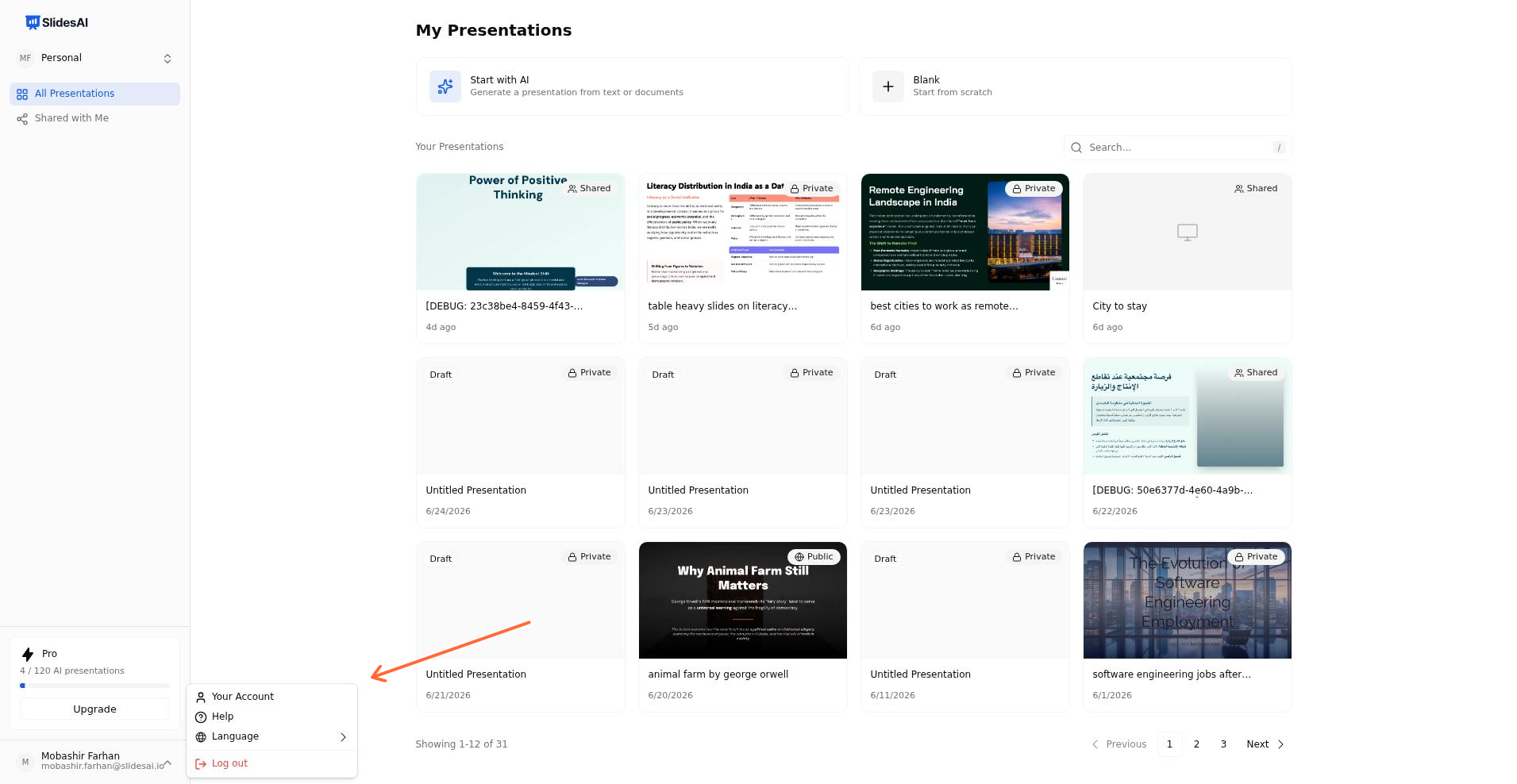
Select Your Account from the dropdown menu.
Under Plan & Billing, click Cancel plan to open the Paddle customer portal.
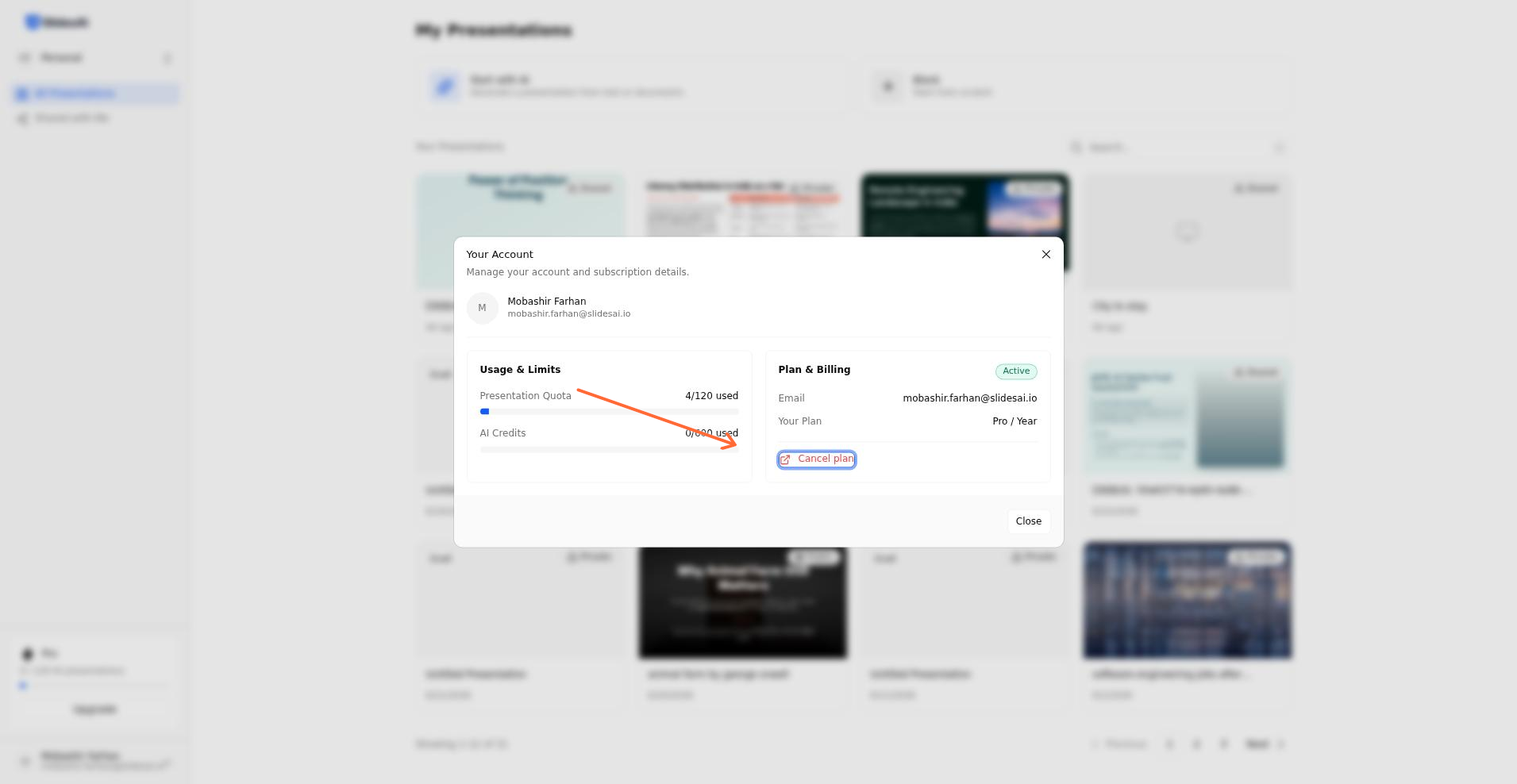
Click Cancel plan in the Plan & Billing section to open the Paddle portal.
In the Paddle portal, click Cancel subscription.
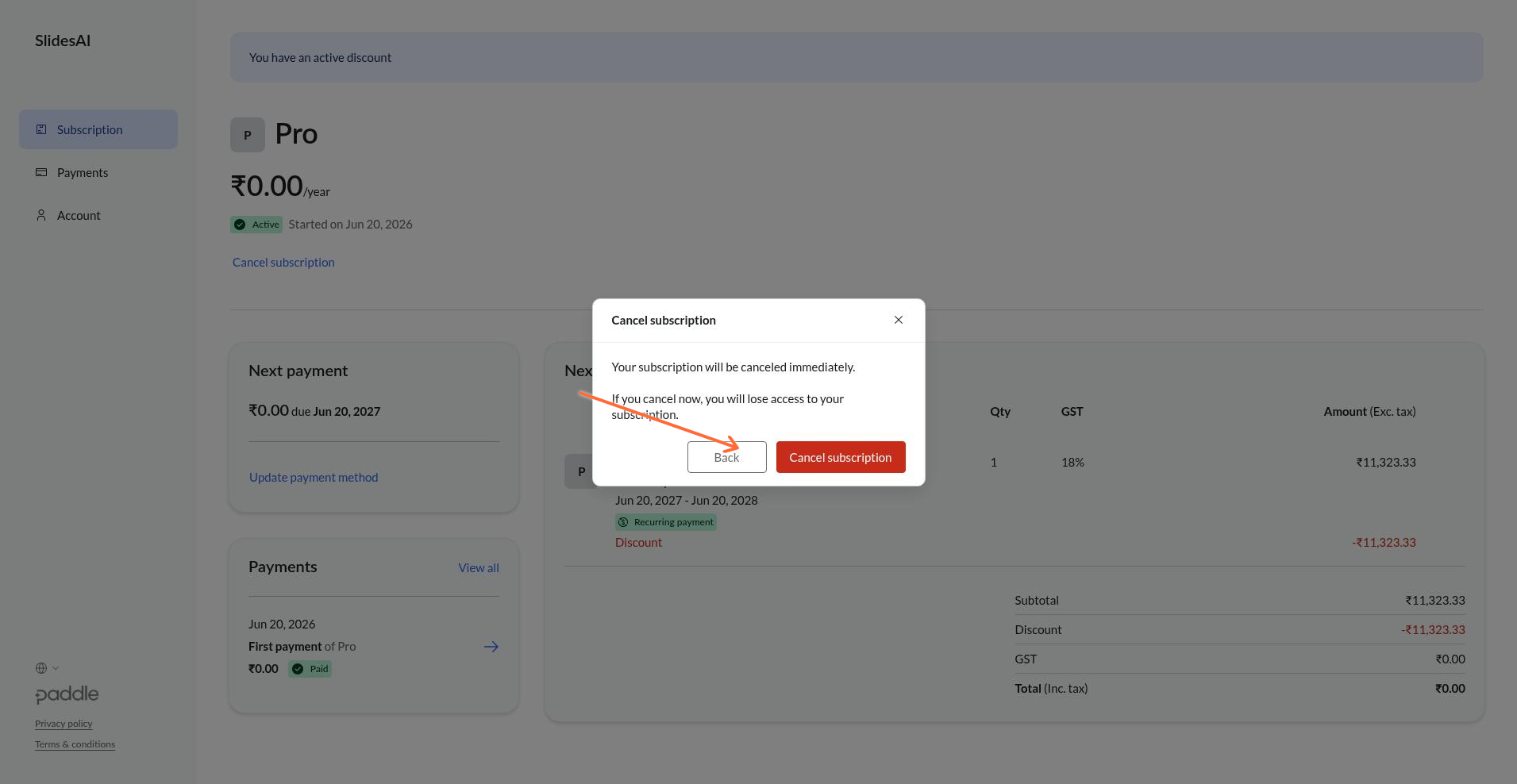
Click Cancel subscription in the Paddle portal.
Confirm the cancellation by clicking Cancel subscription again in the confirmation modal.
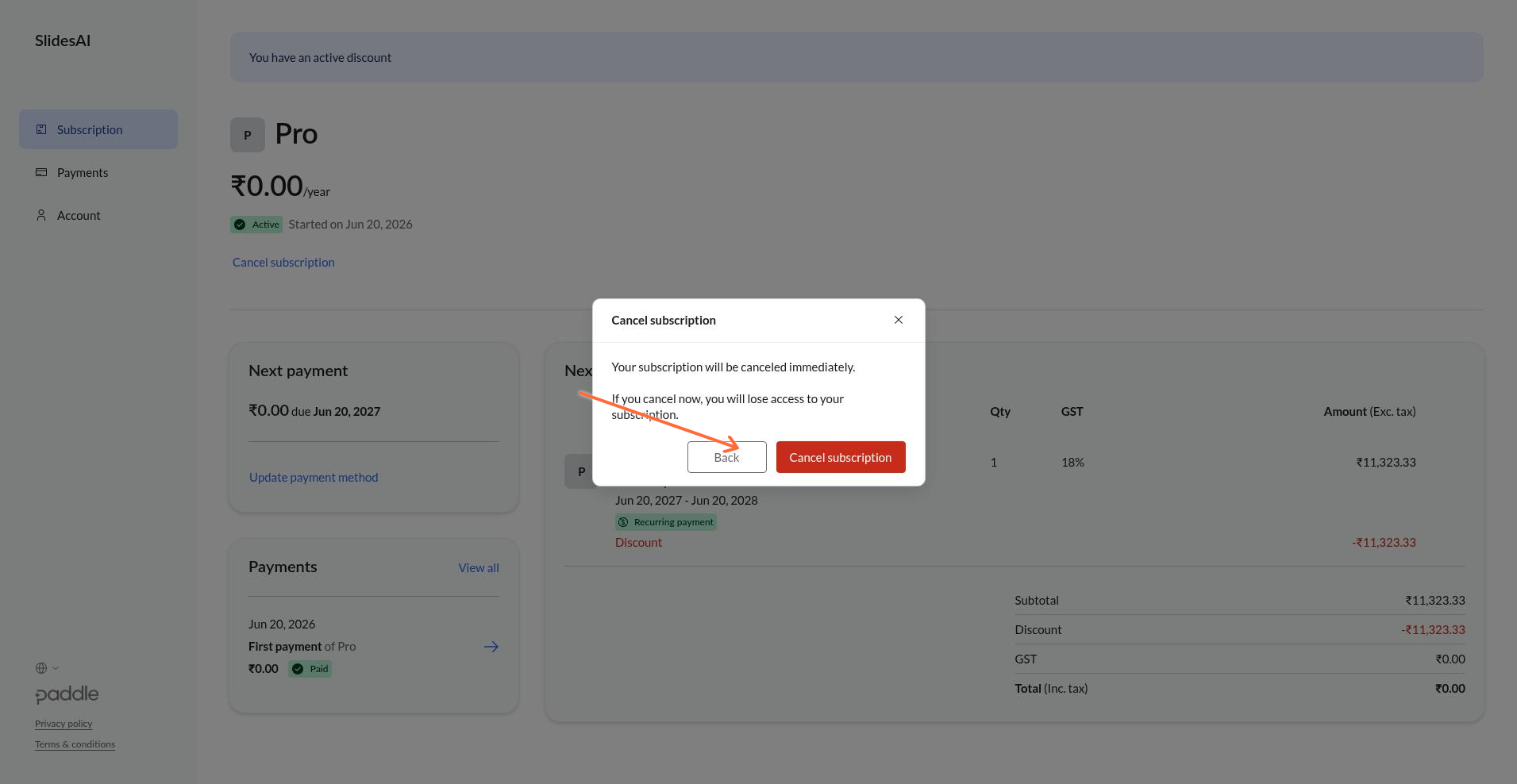
Confirm cancellation by clicking Cancel subscription again.
Your subscription is tied to the specific Gmail account you signed up with. If you don't see your subscription in Paddle, you may be signed in with the wrong account. See Which Gmail account owns your subscription.
What happens after cancellation
You keep full access until the end of your current billing period.
After the period ends, your account reverts to the free Basic plan.
Your presentations remain accessible, but AI features that require a paid plan will be limited.