
You don't have permission to move that presentation. Ask its owner, a Content manager on its team, or an Owner or Admin.
Move a presentation to another team, folder or Private
Updated today
Open the presentation's … menu, choose Move…, pick where it should go, and confirm. On a computer you can also drag the presentation card where you want it.
Before you start: you can move a presentation if you own it, or if you are a Content manager on its team, or an Owner or Admin. Only the owner can move a presentation into or out of Private.
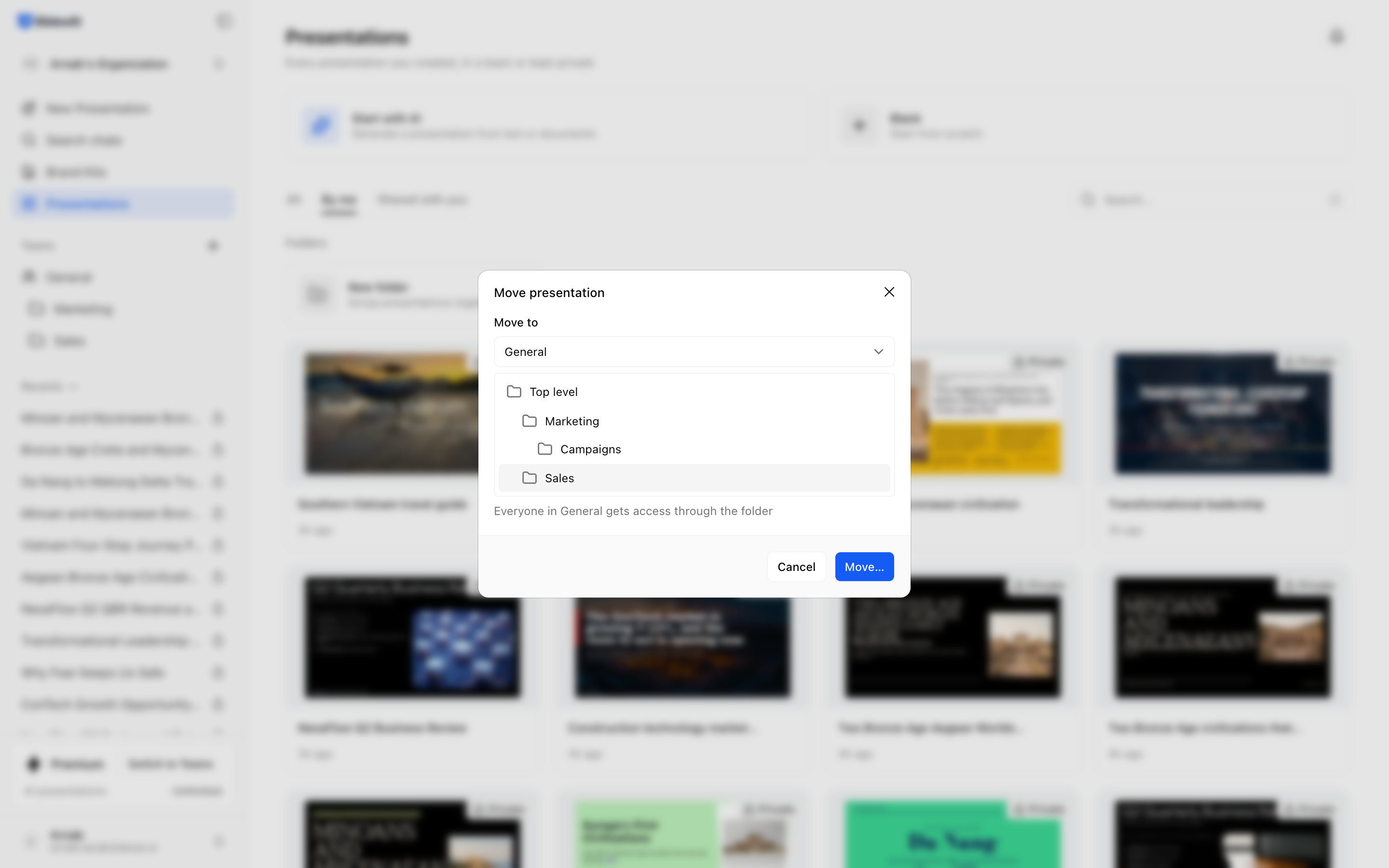
Use the Move dialog
On the presentation card, click … or right-click the card.
Choose Move….
Under Move to, pick a team, a folder, or Private.
Read the note under your choice. It tells you who gains or loses access.
Confirm the move.
A message confirms the move and offers Go to team, Go to folder or Go to Private, so you can jump to the new place.
Drag and drop
Drag a presentation card onto any of these:
A team in the sidebar
A folder card, or a folder in the sidebar
Presentations in the sidebar, which is your Private space (owner only)
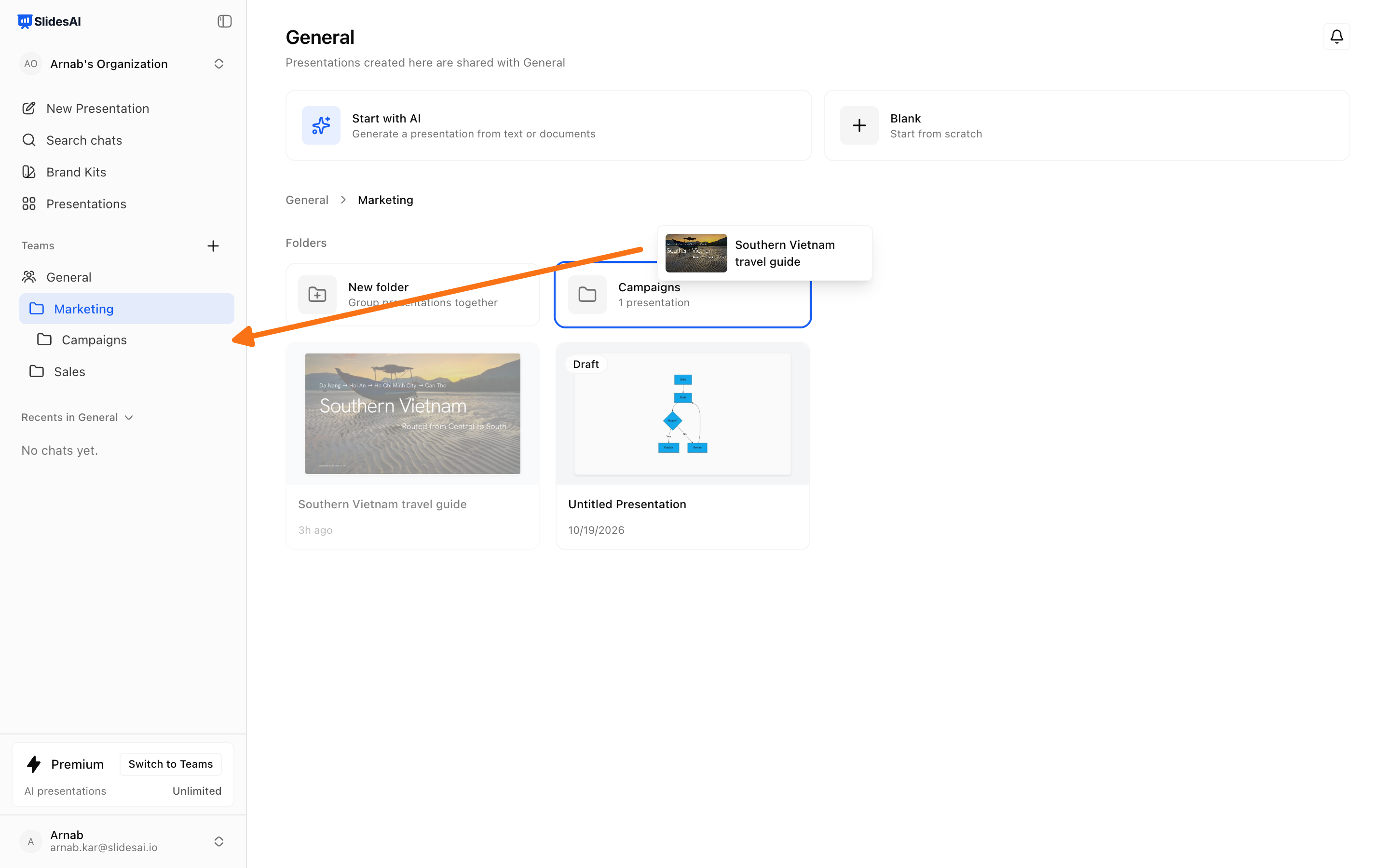
If the presentation is already there, you see "Already in" and the place's name, and nothing changes.
What happens to access
Into a team or team folder: everyone on that team gets access.
Out of a folder: people who had access only through that folder lose it.
To Private: the team loses access. People it's shared with directly keep theirs. If it is also shared with other teams or the whole organization, those shares stay.
Members of the old and new teams get an email when a presentation moves to another team or to Private. The person who moved it doesn't.
There is no Undo. To reverse a move, move the presentation back.
Move a folder
Click … on the folder and choose Move…. Everything inside the folder moves with it. When you move a Private folder into a team, its presentations are shared with that team. If some can't be shared, a message tells you how many stayed private.
FAQ
Can I move a folder to Private?
Only if everything in it belongs to you. A folder can't move to Private while it holds someone else's presentations or folders.
Was this helpful?
Was this helpful?